
When most people think of artificial intelligence, their imagination stops at standard text chatbots: asking ChatGPT to draft an email or asking Midjourney to paint a digital fantasy landscape. But outside the walled gardens of Silicon Valley subscription paywalls, the open-source and developer ecosystem is experiencing an explosive cambrian explosion. Right now, there is an entire parallel universe of astonishing, specialized free AI tools that can sculpt interactive 3D assets from photos, animate static portraits into speaking video, and synthesize studio-grade voiceovers in seconds without demanding a monthly credit card subscription.
If you only rely on mainstream consumer chatbots, you are operating with one hand tied behind your back. Whether you are a solo content creator, independent game developer, marketing designer, or simply a curious technologist, expanding your digital toolkit gives you an unfair operational advantage. Let us cut through the marketing noise and explore eleven exceptional free AI tools you can test in your web browser today.
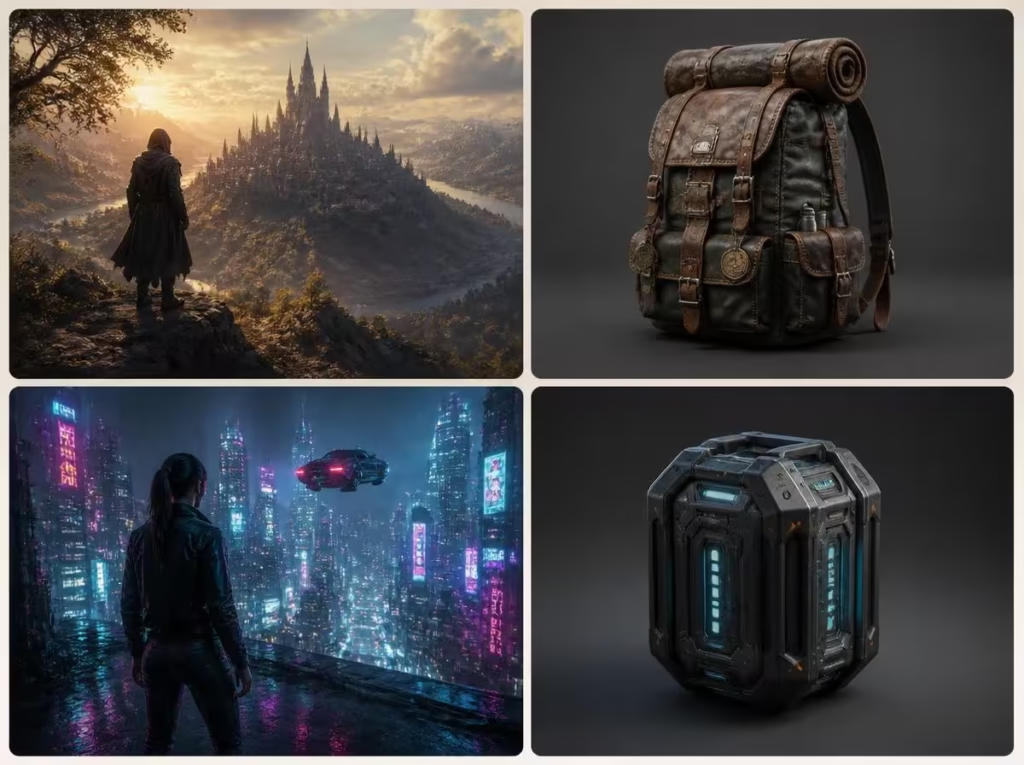
Why You Must Look Beyond Big Tech Subscription Models
Subscribing to four separate AI platforms can easily run you over $100 per month. But thanks to open-weights research initiatives published on repositories like Hugging Face and decentralized developer communities, cutting-edge machine learning research is democratized faster than ever. Many of these platforms operate on generous freemium tiers, public research demo grants, or decentralized GPU networks, giving you access to institutional-grade compute for zero dollars.
By combining specialized niche tools—using one engine for real-time 3D conversion, another for acoustic enhancement, and another for narrative outlining—you build modular creative pipelines that surpass monolithic commercial suites. Let us dive into the eleven standout platforms.
Comparison Matrix: The 11 Best Free AI Tools at a Glance
| Tool Name | Core Specialty | Best Use Case | Free Tier Access |
|---|---|---|---|
| 1. MUAPI | Multi-Model Aggregator | Comparing visual model checkpoints | Free daily credits |
| 2. Z-Image Turbo | Ultra-Fast Diffusion | Instant photorealistic concept art | Free web demo |
| 3. LTX 2 Distilled | Portrait Animation | Animating still faces with natural speech | Free tier access |
| 4. Trellis 2 | 2D-to-3D Mesh Synthesis | Generating game-ready 3D .glb assets | Open research demo |
| 5. WAN 2.2 | Cinematic Video Diffusion | Transforming static photos into video | Free cloud playground |
| 6. TripoSplat | Gaussian Splatting | Interactive 3D browser spatial models | 100% Free browser tool |
| 7. Qwen Workspace | Multimodal Reasoning | Document analysis & complex research | Free web interface |
| 8. Omni Image Editor | Natural Language Inpainting | Editing photos with plain-text commands | Free demo tier |
| 9. Qwen3 TTS | Expressive Voice Synthesis | Studio narration & multilingual audio | Free open-weights demo |
| 10. Google Flow | Cinematic Camera Direction | Generating visual storyboards & scenes | Free access with Google ID |
| 11. Cantina | Interactive AI Personas | Building custom charismatic avatars | Free mobile/web app |
1. MUAPI: The Swiss Army Knife of Visual Diffusion
Instead of jumping between different discord bots and web interfaces, MUAPI serves as a unified playground aggregating dozens of leading visual diffusion checkpoints (including SDXL, Flux Schnell, and community LoRAs). You can render multiple variations side-by-side to evaluate prompt fidelity before committing to final high-resolution renders.
PROMPT TEMPLATE FOR MUAPI:
Cinematic architectural interior, brutalist concrete living room with expansive floor-to-ceiling glass windows overlooking a rain-drenched Tokyo skyline at twilight. Warm amber recessed cove lighting, wet reflections on polished slate floor, high contrast, 35mm film grain, photorealistic 8k render.
2. Z-Image Turbo: Near-Instant Photorealism
Waiting thirty seconds for an image to generate ruins creative flow. Z-Image Turbo leverages distilled latent adversarial architectures to render photorealistic imagery in under two seconds. It is ideal for rapid brainstorming sessions where you need to visualize twenty alternative product packaging ideas or interior decor concepts in a single minute.
3. LTX 2 Distilled: Breathing Life into Still Portraits
Animating human faces traditionally requires expensive 3D rigging and motion capture tracking. LTX 2 Distilled takes a single 2D photograph and an audio recording, synthesizing natural lip synchronization, micro-head movements, natural blinks, and subtle expressive eye saccades. It transforms educational slides and historic portraits into dynamic speaking presenters.
4. Trellis 2: Sculpting 3D Meshes from Flat Images
Developed as a breakthrough in neural geometric reconstruction, Trellis 2 accepts a single flat photograph of an object—such as a vintage sneaker, a ceramic mug, or a medieval sword—and reconstructs a fully textured, watertight 3D polygonal mesh (exportable as .glb or .obj). Indie game developers and AR creators can populate virtual environments in minutes rather than spending days in Blender.

5. WAN 2.2: Cinematic Physics & Video Motion
While commercial video models charge hefty fees per five-second clip, WAN 2.2 offers an exceptional open diffusion framework that understands real-world physics. Smoke dissipates naturally, waves crash against rocks with fluid hydraulic dynamics, and fabric ripples realistically in the wind. Feeding still images into WAN 2.2 delivers cinematic B-roll for YouTube creators and video essayists.
6. TripoSplat: Real-Time Spatial Gaussian Splatting
3D Gaussian Splatting represents the cutting edge of computer graphics, replacing polygonal triangles with millions of semi-transparent volumetric ellipsoids. TripoSplat allows users to upload a series of smartphone photos of a physical room or statue and generates an interactive, navigable 3D spatial scene that runs smoothly inside any standard web browser without specialized gaming hardware.
7. Qwen Workspace: Multimodal Research Powerhouse
Developed by Alibaba Cloud’s research team, the open-weights Qwen model series consistently rivals top proprietary benchmarks. Qwen Workspace provides an expansive free interface capable of parsing 500-page PDF financial reports, analyzing uploaded spreadsheets, and writing production-grade code with deep mathematical rigor.
8. Omni Image Editor: Inpainting in Conversational English
Photoshop’s Generative Fill is powerful, but requires an expensive Adobe Creative Cloud subscription. Omni Image Editor brings semantic inpainting to the browser for free. You highlight an object with your mouse and type: “Replace the red car with a vintage turquoise bicycle” or “Remove the power lines and add soft afternoon sun rays”, and the model handles lighting integration seamlessly.
9. Qwen3 TTS: Human Emotional Voice Narration
Robotic text-to-speech voices ruin podcasts and video narrations. Qwen3 TTS features exceptional prosody, capturing emotional inflection, natural breathing pauses, and subtle vocal rhythm. You can select conversational, authoritative, or storytelling cadences across dozens of languages with zero synthetic robotic buzz.
10. Google Flow: Art Direction & Cinematic Storyboarding
Google Flow is an experimental generative sandbox designed specifically for filmmakers and narrative creators. Instead of generating isolated square images, Flow allows you to establish a persistent character and define precise camera angles—overhead drone shots, low-angle hero framing, Dutch tilts, and macro extreme close-ups—maintaining character consistency across a sequence of storyboard frames.
11. Cantina: Collaborative Interactive AI Avatars
Moving beyond single-user chatbots, Cantina introduces interactive group dynamics with artificial agents. You can assemble multi-agent group chats where a financial analyst persona, a skeptical editor persona, and an eccentric creative director brainstorm simultaneously, debating ideas and offering diverse perspectives on your creative concepts in real time.
Privacy & Data Hygiene When Using Free AI Platforms
While exploring free platforms is thrilling, maintain basic digital security protocols. As we highlighted in our dedicated guide on ChatGPT Privacy & What Companies Do With Your Data, never upload unredacted financial tax documents, government IDs, or confidential customer databases to experimental public demo servers. Use free tools for creative generation, concept rendering, and synthesis—reserve private offline models for proprietary trade secrets.
To take your practical workflow further, explore our hands-on guide on practical ways to use ChatGPT in daily life and work.
Frequently Asked Questions
Are these 11 AI tools truly 100% free forever?
Open research demos (like Trellis 2 and TripoSplat) and open-weights models on Hugging Face are fundamentally free to run. Freemium platforms (like MUAPI and Cantina) offer generous daily free generations that recharge every 24 hours, sufficient for regular individual creative workflows.
Can I use the images, audio, and 3D models generated for commercial projects?
Assets generated using open-weights models (such as Flux, Qwen, and Whisper) generally carry permissive commercial licenses (like MIT or Apache 2.0). Always check the specific terms of service on third-party demo wrappers before monetizing directly.
Do I need a high-end gaming PC or GPU to use these tools?
No. All eleven tools reviewed in this guide run on remote cloud servers or through optimized WebAssembly/WebGL browser pipelines. You can test and deploy them on any standard laptop, Chromebook, or modern smartphone.
Unleash Your Digital Studio Today
The golden era of independent digital creativity is here. You no longer need a venture-backed budget or expensive enterprise software licenses to produce world-class 3D assets, animated video clips, and voiceovers. Bookmark these tools, test one new platform each week, and watch your creative velocity skyrocket. Which of these eleven tools are you most excited to experiment with first? Share your favorite finds and creations in the comments below!