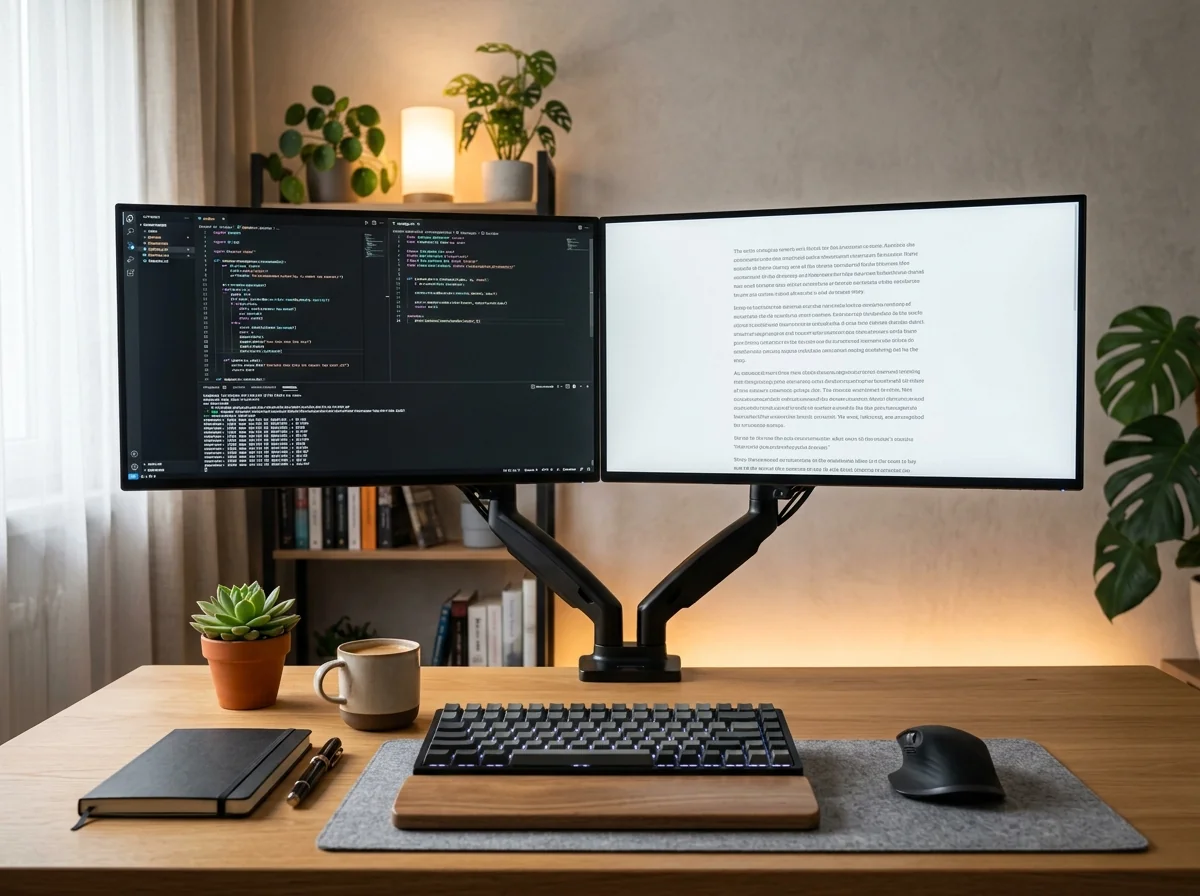
Have you ever wrapped up an eight-hour workday feeling like you ran an ultramarathon, despite barely leaving your desk chair? You fired off dozens of intricate prompts into ChatGPT, engineered seamless agentic workflows, orchestrated multiple dashboards at once, and delivered output that used to take three weeks. Yet your lower back throbs like an engine block, your neck cracks with the slightest tilt, and your eyes burn as if exposed to dry desert wind. The hard truth high-performers discover late is that crafting a truly productive AI workspace setup isn’t just about paying for top-tier LLM subscriptions; it requires harmonizing your physical biomechanics with the extreme cognitive load of modern automated knowledge work.
For the past two years, the industry pushed the myth that generative AI would magically solve work-related burnout. In practice, the opposite occurred: because artificial intelligence replies in under three seconds, we accelerated our cadence to keep up, consuming an unyielding stream of dense context without natural resting intervals. When you slouch, look down into a sunken monitor, and clutter your desk with cables, mugs, and papers, your brain experiences persistent sensory stress. Your body burns tremendous metabolic fuel simply stabilizing bad posture — energy that ought to power creative thinking, strategic judgment, and original problem-solving.
Building a high-focus AI workspace setup that sustains deep work without destroying your spine does not require a six-figure home remodel or glowing sci-fi aesthetics. It comes down to practical ergonomic geometry, intelligent desk decluttering, and window ergonomics. In this practical guide, we will break down step-by-step how to construct an ergonomic desk ecosystem, calibrate screen heights to eliminate chronic strain, leverage tailored prompts to audit your physical setup, and install the mechanical hardware that restores complete freedom to your home office.
The Biomechanics of Productivity: Why AI Cannot Rescue an Exhausted Body
Neuroscience and occupational ergonomics consistently prove the intimate connection between mechanical discomfort and cognitive degradation. According to safety parameters outlined by the Occupational Safety and Health Administration (OSHA) Computer Workstation Guidelines, tilting your head forward by merely 30 degrees multiplies the effective gravitational load felt by your cervical vertebrae by up to four times. That means every time you lean toward a low-riding monitor to read prompt responses, your neck muscles are continuously hauling roughly 40 pounds of deadweight.
When sensory receptors in your neck and trapezius muscles fire continuous pain signals to the brain, your central nervous system triggers background cortisol elevation and throttles blood perfusion to the frontal cortex. The immediate outcome is severe mental fatigue: you find yourself rereading straightforward prompts three times, growing irritable with minor hallucination errors, and losing the stamina to execute complex multi-step reasoning. No model — whether Claude 3.7 Sonnet or OpenAI o3-mini — can overcome a human operator working through physical distress.
For knowledge workers looking to build an ironclad productive daily routine with AI, addressing physical ergonomics is the bedrock foundation. If the structural biomechanics of your workspace are misaligned, your cognitive performance collapses right along with it.
Monitor Geometry: Banishing Neck Stiffness and Desk Clutter
The single most frequent mistake in home offices is keeping displays mounted on the OEM plastic stands included in the original packaging. Standard stands suffer from two major flaws: they sit stubbornly low, and their bulky tripod or rectangular feet consume excessive desktop real estate. For optimal spinal alignment, the top third of your primary display must sit precisely level with your horizontal eye horizon when you sit back with proper lumbar support.
If you have to angle your chin downward to browse your task list or read the input box of your AI client, your display height is fundamentally misaligned. Furthermore, bulky factory stands steal 10 to 12 inches of valuable desktop depth right in the center of your workstation — prime area needed for forearm support and natural keyboard spacing.
⭐ EDITOR’S PICK • ERGONOMIC ESSENTIAL
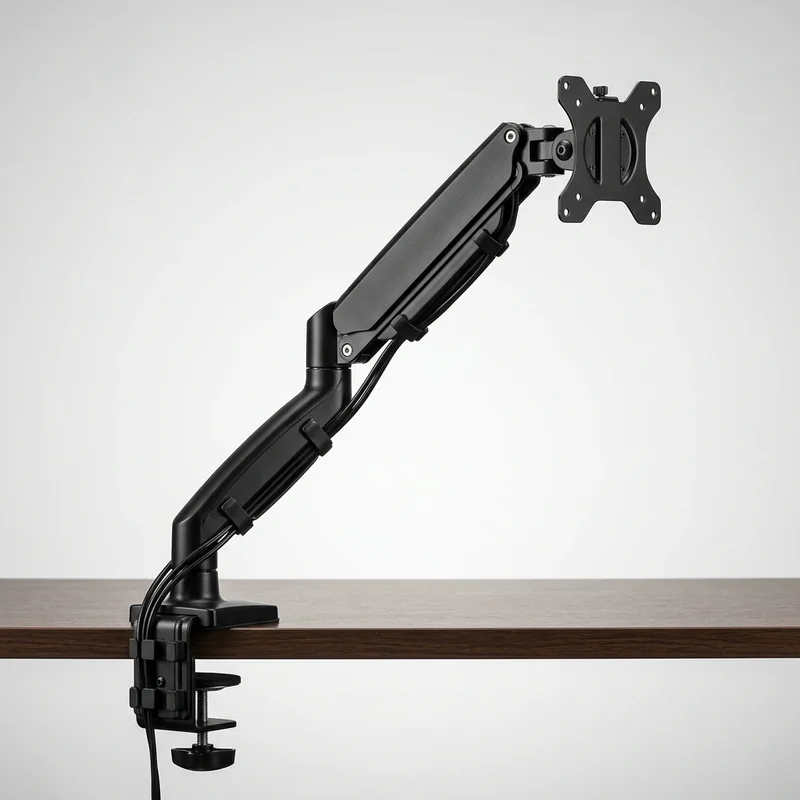
Gas-Spring Articulated Single Monitor Arm Desk Mount
The single biggest desk space thief and the primary culprit behind evening neck stiffness is your monitor’s stock plastic stand. With a counterbalance gas-spring articulated arm, you effortlessly elevate your screen to precise eye level with a single touch, pivot 90 degrees into portrait mode for reading long AI transcripts and coding, and reclaim up to 30% of prime desktop surface for notebooks and natural arm rest.
Swapping fixed factory stands for a gas-spring articulated monitor arm is not a decorative luxury: it is an essential biomechanical upgrade. Floating your monitor lets you adjust focal depth on the fly — pulling the panel closer when inspecting dense code blocks or pushing it back during brainstorming sessions. Additionally, instant 90-degree portrait rotation transforms any screen into an elongated canvas, perfect for reading extensive prompt outputs without relentless mouse scrolling.
The Minimalist Desk: Cognitive Impact of Physical Space on Deep Work
Physical clutter triggers subconscious cognitive friction. When your desk is covered with stray pens, empty coffee cups, and tangled cables, each physical item competes for micro-attentions in your peripheral sightline. Environmental psychology studies demonstrate that visually organized workspaces dramatically increase persistence on challenging problems and decrease task abandonment under high cognitive load.
By elevating monitors completely off the desktop, you establish what ergonomics researchers define as a “clear transition zone”. This reclaimed desk real estate creates ample room for analog brainstorming tools — such as a clean dot-grid notebook and fountain pen. Having an open journal directly underneath your floating monitors provides an immediate sandbox for sketching out architecture before typing prompt requests, bridging physical thinking with a digital second brain workflow with AI.
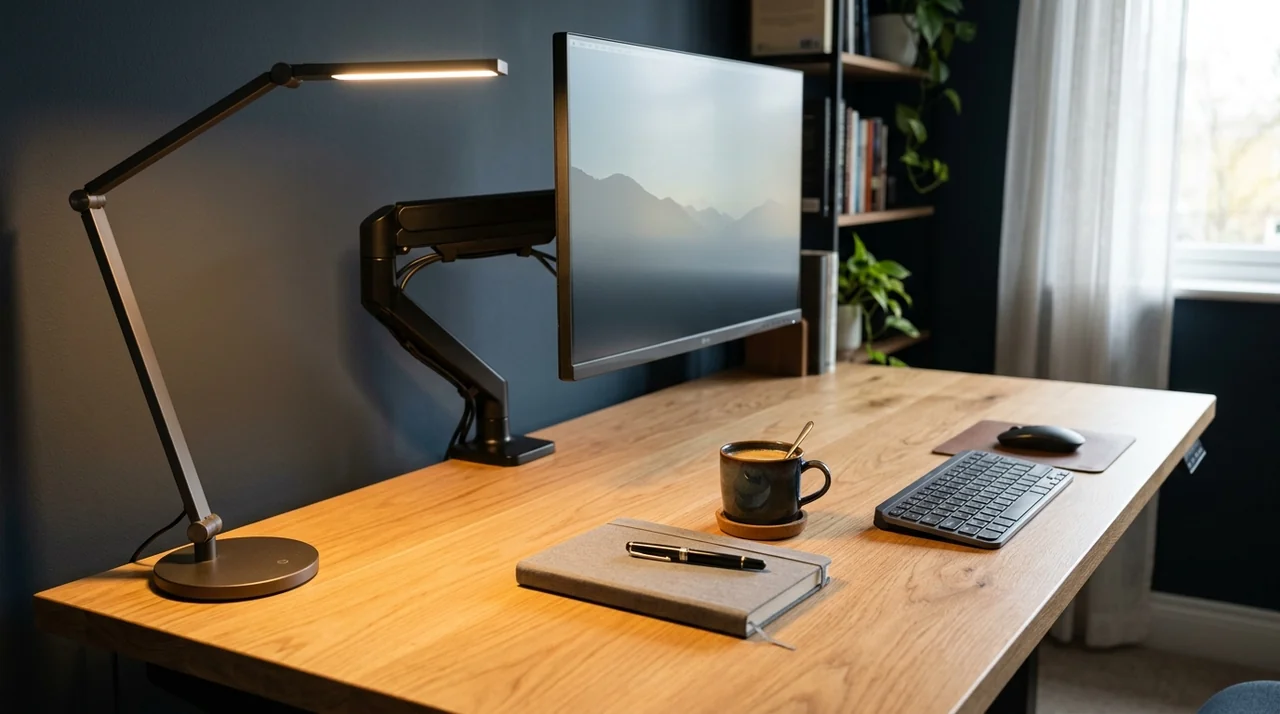
Another vital element of a streamlined desk is cable management. Quality articulated gas arms feature internal cable channels that conceal HDMI, DisplayPort, and power cords, routing them invisibly beneath the desk surface. Sitting down in front of a floating monitor with zero exposed cable mess instills an instantaneous feeling of mental focus and readiness for deep creative work.
The Dual-Screen Architecture: Distributing Prompts Without Context Switching
Working extensively alongside AI assistants brings a unique friction point: chronic tab flipping. When operating from a lone laptop screen, you are forced into an exhausting dance between your AI chat interface, code editor or word processor, research sources, and communication channels. Every Alt+Tab disruption introduces a momentary cognitive lag that steadily saps focus across the day.
To optimize an AI workspace setup, a dual-monitor layout (or a wide ultrawide configured into clean window tiles) delivers the highest workflow fluidity. The most effective layout partitions screen space into two distinct cognitive territories:
- Primary Screen (Centered at Eye Horizon): Reserved exclusively for execution and deep production. This is where your code, manuscript, or spreadsheet lives. No notifications, Slack badges, or social channels are allowed on this canvas.
- Secondary Screen (Vertical Portrait or Flanking): Dedicated to your AI conversational assistant, API documentation, and background research. Setting this monitor into portrait mode is a game-changer: long prompt replies and nested code flows read top-to-bottom, cutting scrolling fatigue by over 70%.
- Keyboard and Pointer Ergonomics: Keep keyboard and mouse aligned at the same horizontal plane close to your torso, allowing your shoulders to remain dropped and relaxed without slouching forward.
This distinct layout prevents your AI assistant from becoming an intrusive distraction, allowing it to function as a seamless copilot whenever you need help to unlock stalled creative projects.
Actionable Prompts: Turn AI into Your Personal Workspace Ergonomist
You don’t need to hire an on-site consultant to calculate your ideal desk elevations, viewing angles, or active break routines. With the right prompting structures, you can turn large language models into specialized ergonomic auditors customized to your body height and desk geometry.
Copy and run these three tested prompts inside ChatGPT or Claude to optimize your physical work environment:
Prompt 1: Physical Workspace & Posture Biometrics Auditor
Input your physical dimensions to receive an exact measurement blueprint in inches and centimeters:
Act as a senior occupational ergonomist and physical therapist specializing in ISO 9241-5 and OSHA workstation standards.

I want you to conduct a detailed ergonomic audit of my home office computer workstation.

Here are my biometrics and equipment details:
- My height: [Insert your height in cm or feet/inches, e.g., 5 ft 10 in / 178 cm]
- Current desk surface height: [Insert height from floor to desk top, e.g., 29.5 in / 75 cm]
- Display setup: [e.g., One 27-inch monitor mounted on a gas-spring arm]
- Chair type: [e.g., Ergonomic mesh task chair with height adjustability and lumbar support]
- Current physical symptoms: [e.g., upper trapezius stiffness around 4 PM, right wrist fatigue, eye dryness]

Please deliver a structured ergonomic assessment containing:
1. Exact recommended chair seat height from the floor.
2. Recommended height for the top bezel of my monitor relative to my eye horizon.
3. Optimal focal viewing distance between eyes and screen.
4. Root-cause biomechanical diagnosis of my reported symptoms and 3 quick mechanical adjustments I can apply today to relieve tension.
Prompt 2: The 90-Second Active Microbreak Protocol Generator
Prevent postural immobility during intensive creative sessions without breaking cognitive flow:
You are an athletic trainer and deep work productivity specialist focused on computer professionals working 8+ hours at a desk.

Design a microbreak movement protocol built on a modified 50/3 focus cycle (50 minutes of deep focus / 3 minutes of physical decompression).

Protocol requirements:
- Create 4 rapid exercise routines (each taking no more than 90 to 120 seconds).
- Target key desk worker stress zones: 1) Cervical spine and traps; 2) Forearms and carpal tunnel; 3) Thoracic spine and lower back; 4) Eye strain and visual rest (20-20-20 rule).
- All movements must be subtle, requiring zero equipment and executable right next to a standing or seated desk.
- Format as a concise reference table ready to pin in a desktop sticky note.
Prompt 3: Multi-Window Workspace Layout Architect
Organize your screen space to reduce cognitive fatigue and unnecessary context switching:
Act as an interface usability and cognitive ergonomics specialist.

My daily work involves continuously juggling the following applications:
- Core production tool: [e.g., VS Code / Google Docs / Figma]
- AI conversational copilot: [e.g., Claude Desktop / ChatGPT]
- Team messaging: [e.g., Slack / Teams]
- Browser research tabs and documentation

My display hardware: [e.g., 1 primary 27" landscape screen + 1 secondary 24" portrait screen on an articulated arm].

Generate an optimal window arrangement plan detailing:
1. What belongs permanently on each display and the cognitive rationale behind it.
2. How to configure OS scaling and font sizes to avoid forward neck craning.
3. Which applications should remain strictly minimized or notification-muted to eliminate involuntary attention leaks.
Frequently Asked Questions About AI Workspaces and Ergonomics
Will a gas-spring monitor arm fit any computer display?
The vast majority of modern monitors between 17 and 32 inches feature standard VESA mount patterns (a square screw configuration of 75×75 mm or 100×100 mm on the rear chassis). Before buying, confirm that your monitor has these rear threaded holes. If your display back is completely smooth, you can purchase an inexpensive universal VESA adapter bracket. Furthermore, verify weight specs: reputable arms like the gas-spring desk mount easily support screens weighing between 4.4 lbs (2 kg) and 19.8 lbs (9 kg).
Is an ultrawide monitor better than a dual-monitor setup?
It depends on your workflow. Dual separate monitors hold the distinct advantage of allowing one display to rotate into full vertical portrait mode (90 degrees), which is vastly superior for reading long AI chat threads, articles, and code bases. Ultrawide monitors provide an uninterrupted, bezel-free canvas that shines for video editing and massive spreadsheets. Mounted on flexible gas arms, both setups perform remarkably well.
Do ergonomic gel wrist rests actually prevent injury?
Yes. High-density gel or memory foam wrist rests keep your carpal joints in a neutral 180-degree posture relative to your forearms, preventing excessive upward wrist bending. Maintaining a neutral wrist angle protects the median nerve from sustained compression within the carpal tunnel, significantly lowering the risk of repetitive strain injury (RSI) during heavy writing and coding sessions.
How should I position room lighting to eliminate eye strain?
The golden rule is preventing severe illumination contrast. Avoid staring at a high-brightness monitor inside a pitch-black room. The gold standard consists of diffuse ceiling ambient light paired with an asymmetric screen lightbar mounted on top of your monitor, supplemented by warm bias lighting behind the display. Balanced ambient lighting reduces the contraction fatigue of your eyes’ ciliary muscles by up to 60%.
The True ROI: Producing More with Far Less Physical Friction
Artificial intelligence provides an unprecedented capability to accelerate human intellect. However, generative software remains entirely dependent on your discernment, stamina, and physical vitality to produce meaningful work. Caring for your workstation ergonomics, elevating your displays to eye horizon, and banishing desktop disorder isn’t aesthetic vanity: it is the essential protection of your most irreplaceable asset — yourself.
When your body operates free of chronic pain, your mind has unbounded room to do brilliant work. Test calibrating your screen height today and feel the immediate difference in how you feel when the workday ends.
How does your workstation feel right now? Are you using a gas-spring monitor arm, or is your factory stand still hogging your desk surface? Drop your thoughts in the comments below!