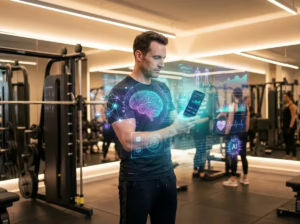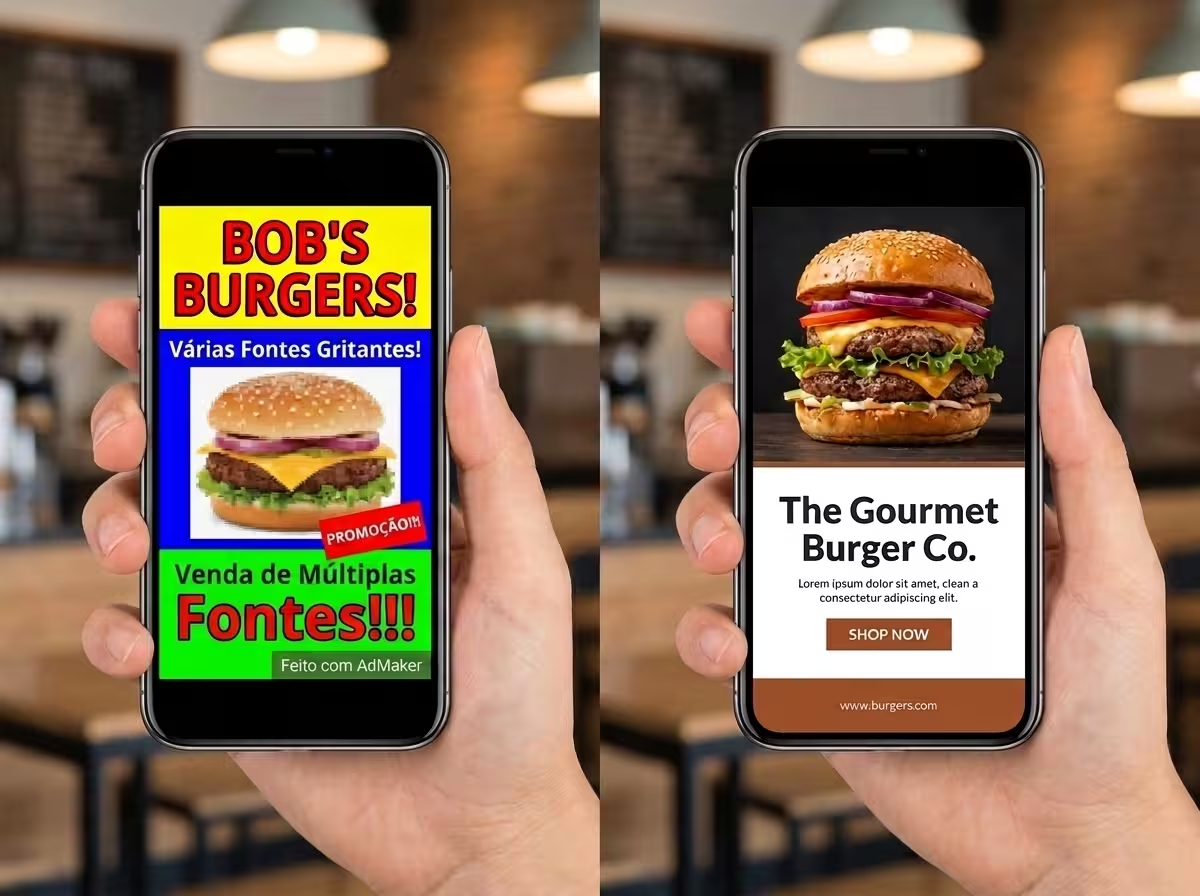
Learning how to create ads with AI is transforming commercial marketing by turning a simple typed prompt into a polished social media banner with headlines, product imagery, and persuasive copy in seconds.
Have you seen those high-converting promotional banners circulating on Instagram—featuring studio-lit product bottles, crisp benefit bullet points, and eye-catching discount badges? Until recently, assembling those creatives required expensive graphic designers, studio photographers, and hours of layout tweaks in desktop software.
Today, next-generation multimodal vision models—such as Google Gemini, ChatGPT (GPT-4o), and Midjourney—can render legible typographic text, clean layouts, and photo-realistic lighting directly inside a single generation.
In this comprehensive tutorial, you will discover the exact step-by-step framework to create professional ad creatives, including copy-and-paste prompt templates across five visual styles, niche adaptations, and practical editing shortcuts.
How to Create Ads with AI from a Single Strategic Prompt
The secret to commanding visual AI models lies in structuring your prompt like a professional creative brief for an art director: define the headline hierarchy, specify product placement, outline core value propositions, and set an explicit color palette.
Whenever you build a promotional banner prompt, always incorporate these five structural pillars:
- Brand Identity: Explicitly state the brand name and business vertical (e.g., boutique skincare, artisanal bakery, SaaS platform).
- Campaign Message: Provide a strong hero headline (e.g., “Summer Glow Sale”, “Limited Edition Launch”).
- Key Value Drivers: Supply 3 to 4 concise bullet points emphasizing customer benefits.
- Visual Hierarchy & Layout: Designate where elements belong (e.g., headline at the top, centered product cutout, pricing badge at the footer).
- Aspect Ratio: Mandate commercial dimensions like vertical 4:5 (1080×1350) for Instagram Feed or 9:16 (1080×1920) for Stories and Reels.
“The modern marketer no longer wrestles with blank canvas paralysis. With structured prompts, AI handles 90% of layout composition, allowing you to focus on offer psychology and audience targeting.”
— Digital Advertising Strategies
Universal Master Prompt for Full Social Ad Banners
Copy and adapt this foundational template into your chosen AI chat assistant. Simply replace the bracketed placeholders with your business details:
Create a vertical promotional advertising banner, 4:5 aspect ratio, for [business niche, e.g., organic skincare brand]. At the top, feature the brand name "[Brand Name]" in clean modern typography. Centered, display the headline "[Primary Offer, e.g., 30% Off Summer Essentials]" in bold lettering. In the center, position a hero product shot with soft blurred background depth of field. On the right side, present a clean vertical list of 3 benefits with subtle checkmark icons: "[Benefit 1]", "[Benefit 2]", "[Benefit 3]". At the footer, include a prominent call-to-action banner reading "[Was $X, Now $Y - Shop Now]". Clean studio aesthetic, professional commercial composition, crisp legible typography, no spelling errors.Pro-tip: Always verify that you replaced all bracketed fields before hitting generate. Leaving a placeholder empty might cause the model to render the literal phrase "[Brand Name]" onto your graphic.
Niche Customization Blueprint
| Industry Niche | Stylistic Adjustments | Core Value Focus |
|---|---|---|
| Beauty & Cosmetics | Soft pastel palette, marble textures, water droplets | “Cruelty-free, 24h Hydration” |
| Apparel & Fashion | Editorial street photography, warm natural sunlight | “New Season Drops, 100% Organic Cotton” |
| Food & Beverage | Vibrant warm tones, cinematic steam, macro ingredients | “Artisanal Recipe, Free Fast Delivery” |
| Professional Services | Sleek minimalist slate, bold contrast, geometric icons | “Trusted by 10k+ Leaders, Instant Access” |
5 High-Converting Visual Styles for Commercial Banners
Varying your aesthetic keeps social feeds engaging and prevents audience banner fatigue. Use these five pre-tested visual formats:
1. The Minimalist Studio Style: Ideal for luxury, tech, and wellness products. Features generous negative space, neutral palettes (cream, stone, charcoal), and thin modernist sans-serif fonts.
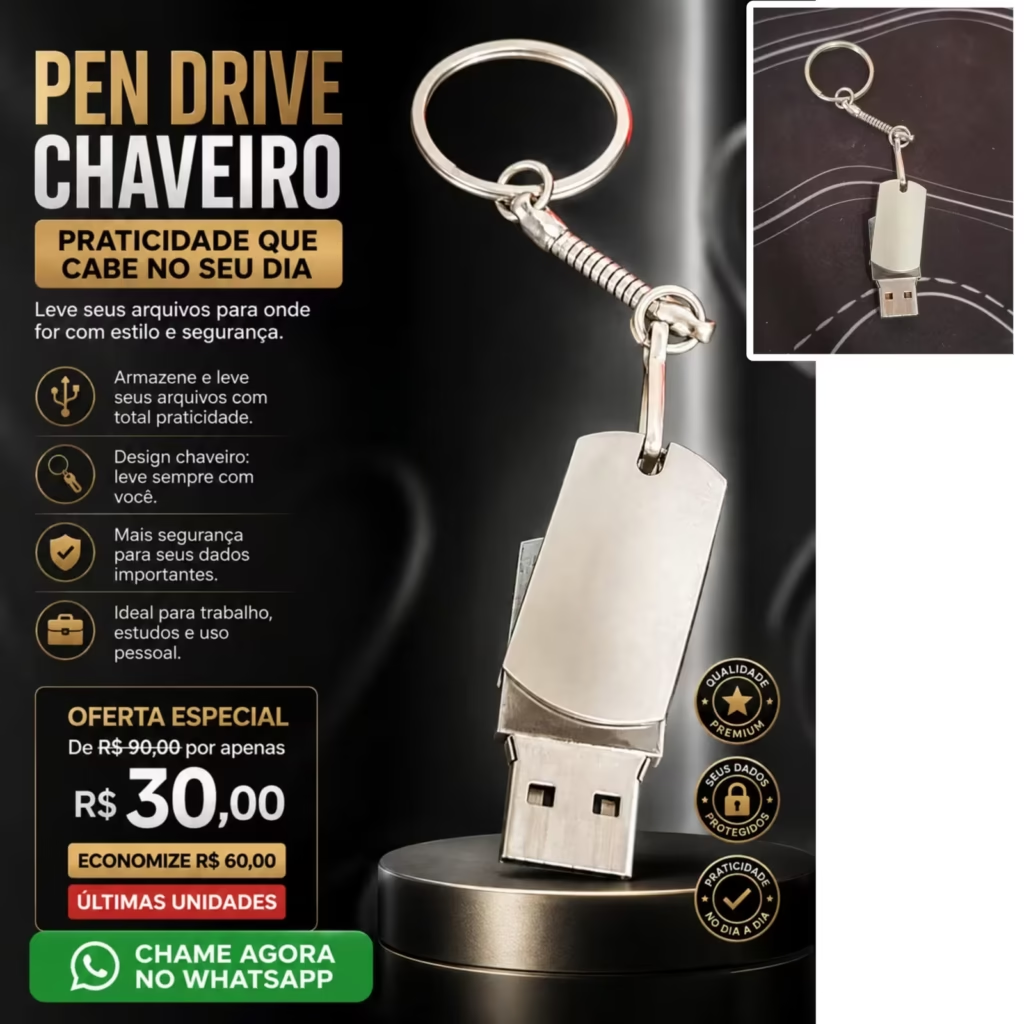
Vertical advertising banner, 4:5 ratio, minimalist editorial style with abundant white space, for [business niche]. Clean discrete logo at the top. Centered hero text "[Core Offer]" in lightweight elegant typography. Exactly two key product features below in clean body copy. Bottom right footer with subtle call-to-action "[Action URL / Button]". Neutral beige and slate tones, sophisticated high-end magazine design.2. Premium Black & Gold Aesthetic: Perfect for watches, fine jewelry, and gourmet chocolates. Utilizes deep matte black or obsidian backgrounds paired with warm metallic accents and rim lighting.
Vertical commercial ad banner, 4:5 aspect ratio, ultra-premium luxury aesthetic for [product category]. Deep matte black background with subtle brushed gold accents. Dramatic low-key rim lighting accentuating product contours. Gold typography displaying "[Brand]" and "[Offer]". Refined, exclusive, high-ticket visual finish.3. Vibrant High-Energy Style: Designed for fitness supplements, youth apparel, and flash sales. Employs energetic gradient backgrounds, bold drop shadows, and high-impact badges.
4. Organic & Eco-Conscious Style: Tailored for clean beauty, vegan foods, and sustainable homewares. Features earthy greens, terracotta accents, and soft botanical shadows.
5. Cyberpunk & Tech Neon: Best suited for gaming hardware, software tools, and digital creator courses. Utilizes deep dark interfaces illuminated by electric cyan and magenta neon glows.
Refining AI Creatives and Fixing Typographic Glitches
While visual generation engines have improved dramatically, complex phrases can occasionally misspell letters. When that occurs, you do not need to restart from scratch:
- Targeted In-Chat Corrections: In conversational assistants like Gemini or ChatGPT, reply directly: “Maintain the exact visual layout and lighting, but correct the spelling of the headline text from ‘[Typo]’ to ‘[Correct Word]’.”
- Magic Layers in Canva: Import your generated banner into design suites like Canva or Adobe Express. Use layer separation to drop in your official vector SVG logo or fine-tune font sizing without disturbing the background render.
- Style Reference Images: Attach a screenshot of a high-performing past ad alongside your prompt, instructing the model: “Use this attached image strictly as a stylistic reference for color balance and composition, creating a completely unique banner for [My Product].”
To dive deeper into related technologies and sharpen your digital skills, explore our detailed guides on artificial intelligence terms and multimodal AI explained.
Frequently Asked Questions (FAQ)
Can I create ads with AI completely for free?
Yes. Both Google Gemini and the free tier of ChatGPT allow users to generate high-resolution promotional imagery and marketing layouts with daily usage quotas.
Which tool produces the best text inside images?
Recent multimodal models such as Gemini (with Imagen integration) and Ideogram specialize in rendering crisp, letter-perfect English typography inside graphic layouts, while Midjourney excel at hyper-realistic photographic backdrops.
Can I use AI-generated ad banners directly for commercial paid campaigns?
Yes, provided you review all claims, verify pricing accuracy, and comply with the advertising policies of Meta Ads, TikTok, or Google Ads regarding commercial disclosures.
Have you experimented with creating entire promotional banners using artificial intelligence? Which visual style delivered the highest click-through rate for your brand? Share your results in the comments below!