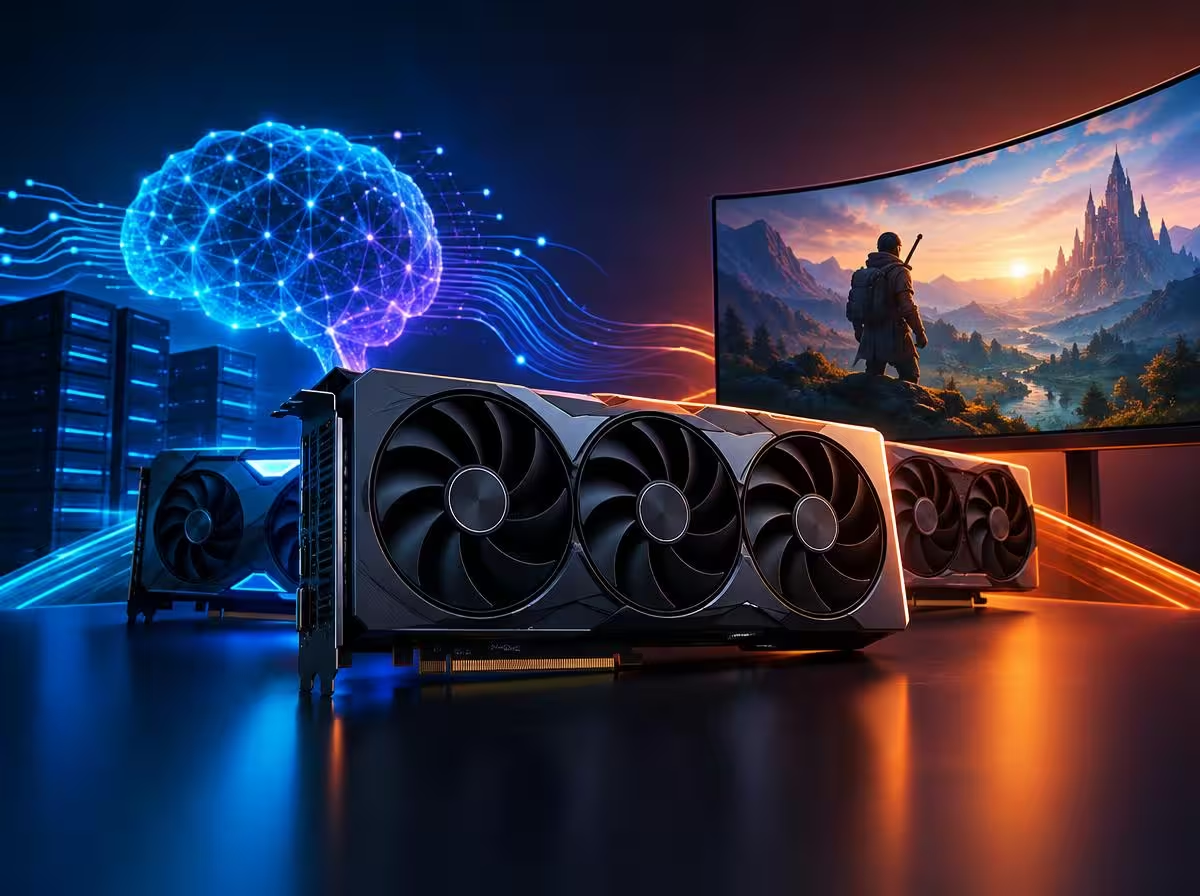
If you have browsed an electronics retailer or PC hardware builder recently with the goal of upgrading your desktop, you were likely confronted with a question that seemed trivial just a few years ago: how many gigabytes of video memory does this graphics card actually have? Historically, VRAM was an obsession reserved for extreme 4K resolution enthusiasts or ultra-wide multi-monitor flight sim setups. Today, it represents the single most decisive factor between building a versatile workstation or locking yourself into an immediate technological dead end.
The explosion of generative artificial intelligence has completely rewritten consumer PC hardware priorities. Suddenly, millions of developers, researchers, writers, and power users realized that paying perpetual monthly subscriptions to cloud chatbots or uploading sensitive personal documents to external servers is no longer mandatory. You can run cutting-edge large language models (such as Llama 3, Mistral, and Gemma) as well as advanced image generation models entirely offline on your desk — with complete privacy, zero corporate censorship, and without an internet connection.
Yet there is an unavoidable physical toll for achieving this digital independence: VRAM (Video Random Access Memory). Unlike conventional system RAM, GPU memory delivers staggering bandwidth capable of feeding specialized Tensor Cores at hundreds of gigabytes per second. If neural network weights fit neatly inside your VRAM pool, the model responds at effortless, human-reading speeds; fall short by even half a gigabyte, and processing performance drops off a cliff. Welcome to the VRAM battleground: the definitive guide to picking the right graphics card for local AI and high-end gaming in 2026 without wasting your budget.
⚡ Quick Picks • Top Hardware Recommendations
In a rush to upgrade or build your rig? Here are our top two tested recommendations for local AI inference and 1440p/4K gaming in 2026:
🏆 Our Top Pick
GeForce RTX 4070 Ti Super 16GB (16 GB VRAM • High Bandwidth)
💡 Best Budget Value (Plan B)
GeForce RTX 4060 Ti 16GB (Most Affordable 16GB VRAM)
Why Graphics Cards for Local AI Need Over 8 GB of VRAM
To grasp why selecting graphics cards for local AI with 16 GB of physical memory is exponentially more valuable than a faster card crippled with 8 GB, we must dismantle a common hardware myth: the illusion that raw compute clock speeds solve every bottleneck.
In modern gaming engines built on Unreal Engine 5, developers leverage virtualized micromesh geometry (Nanite), dynamic real-time global illumination (Lumen), and massive high-resolution texture arrays. When you enable Path Tracing in modern titles, video memory does not merely hold static pixels: it must maintain bounding volume hierarchy (BVH) spatial acceleration structures and denoiser buffers. On 8 GB graphics cards, the consequence is violent micro-stuttering whenever the game engine spills oversubscribed textures across the PCIe bus to system memory.
In the local AI landscape, this reality is even more uncompromising. Language models cannot stream weights sequentially on demand: the entire neural network parameter matrix must reside simultaneously within high-speed GPU memory so Tensor Cores can execute matrix multiplications without pipeline stalls. As we explored in our deep dive on why graphics cards became so expensive during the AI hardware boom, the corporate rush for compute silicon permanently elevated memory density over raw rasterization.
The Practical Math of VRAM for Running Local AI Models
Calculating how much video memory you need does not require a degree in machine learning. It follows a straightforward baseline equation dictated by parameter count and numerical precision (quantization):
- 7B and 8B Parameter Models (Llama 3 8B, Mistral 7B): In standard 4-bit quantization (Q4_K_M) — which retains roughly 99% of original unquantized intelligence —, the model weights require between 4.8 GB and 5.5 GB of memory.
- The Context Window (“KV Cache”): This is the dynamic requirement that catches most newcomers off guard. In addition to base model weights, as your conversation lengthens or you feed a 30-page research paper for analysis, memory is allocated dynamically to store Key-Value state vectors. An active 8,000-token context window demands an additional 1.5 GB to 2.5 GB of VRAM.
- Operating System Desktop Overhead: Simply powering high-resolution displays, desktop compositing, and open browser tabs reserves between 1.0 GB and 1.8 GB of GPU memory under Windows or macOS.
Do the math: 5.5 GB (model weights) + 2.0 GB (context cache) + 1.5 GB (OS overhead) = 9.0 GB of required VRAM. What happens if your GPU has only 8 GB? You hit the notorious CUDA Out of Memory barrier. The system is forced to offload surplus layers to host system RAM across the PCIe lane. Generation speed plummets from a brisk 65 tokens per second down to an agonizing 2 tokens per second. It is the computational equivalent of stepping out of a supersonic jet directly into gridlock traffic.
# Command to run Llama 3 locally via terminal with Ollama:
ollama run llama3:8b-instruct-q4_K_M
Utilizing streamlined open-source runtimes such as the official Ollama repository or graphical frontends like LM Studio and Open WebUI, you can interface with frontier-grade models in seconds, provided your graphics card is equipped with the physical memory capacity to hold them.

NVIDIA vs. AMD: The Unshakable Dominance of the CUDA Ecosystem
Before examining specific graphics cards for local AI, we must address the silicon platform landscape with complete candor. While AMD produces phenomenal graphics cards for traditional PC rasterization, local artificial intelligence remains an entirely different ballgame.
NVIDIA spent nearly two decades cultivating CUDA, a proprietary software stack that has become the ubiquitous standard across modern machine learning libraries, including PyTorch, TensorFlow, and Hugging Face. GeForce cards feature dedicated Tensor Cores engineered specifically for matrix arithmetic alongside native acceleration engines like TensorRT.
Although AMD has made praiseworthy strides with its open ROCm framework on Linux, deploying local language models and diffusion pipelines on Windows using Radeon hardware still frequently demands technical workarounds, community patches, and delivers reduced power efficiency per token. For that reason, our curated recommendations prioritize hardware that works seamlessly out of the box, ensuring you spend your time building workflows rather than troubleshooting driver incompatibilities in forum threads.
Official Guide: Best Graphics Cards for Local AI in 2026
Applying our curation criteria, we evaluated the leading graphics cards for local AI and gaming on the market. We identified the best-selling models, validated by benchmark authorities and tech reviewers, divided into two pragmatic tiers:
🎯 Tier 1: Graphics Cards for Local AI at Entry Level (16 GB Sweet Spot)
The definitive entry point for loading 8B models with full context windows, running Stable Diffusion image workflows, and gaming smoothly at 1080p and 1440p:
⭐ TOP PICK (BEST VALUE FOR LOCAL AI)
GeForce RTX 4060 Ti 16GB
The darling of indie developers and local AI practitioners. It represents NVIDIA’s most accessible Ada Lovelace card equipped with 16 GB of physical VRAM and 4th-generation Tensor Cores. It loads Llama 3 8B fully into fast memory, handles extended document contexts without spilling, and sips just 165W of power, eliminating the need for an expensive power supply upgrade.
💰 BUDGET-FRIENDLY ALTERNATIVE (PLAN B)
GeForce RTX 3060 12GB
A legendary all-time bestseller across global hardware retailers. Priced significantly lower than current-generation offerings, it still delivers 12 GB of VRAM alongside full CUDA support. It remains the undisputed entry champion for students, tinkerers, and developers seeking to experiment with local LLMs on a tight budget.
🎯 Tier 2: High-Performance Creative Workstations (LoRAs, 4K Gaming & Fine-Tuning)
For commercial content creators, fine-tuning practitioners, 3D rendering artists, and enthusiasts demanding blazing framerates in 1440p and 4K:
⭐ TOP PICK (THE POWERHOUSE WORKHORSE)
GeForce RTX 4070 Ti Super 16GB
The ultimate inflection point for serious computing. In addition to 16 GB of ultra-fast GDDR6X memory, it features an expanded 256-bit bus delivering an immense 672 GB/s of bandwidth. It executes local language models at blistering speeds (exceeding 85 tokens/second), synthesizes image batches in sub-second bursts, and crushes any modern title with full Path Tracing enabled.
💰 BUDGET-FRIENDLY ALTERNATIVE (PLAN B)
GeForce RTX 4070 Super 12GB
One of the most acclaimed graphics cards of the current GPU generation. It delivers roughly 90% of the raw computing power of the flagship 4070 family at a substantially lower price. If your primary focus is maxed-out 1440p gaming and running 8B AI models under moderate context lengths, it offers exceptional value per dollar.
Future-Proofing Your Rig: How DLSS 5 Protects Your Hardware Investment
One of the primary concerns when evaluating graphics cards for local AI is long-term future-proofing. Fortunately, modern silicon architectures feature an evolutionary defense layer: neural rendering technology.
As demonstrated in our comprehensive coverage of the NVIDIA DLSS 5 update and framerate gains, modern rendering pipelines leverage real-time neural texture decompression alongside Multiframe Generation. This optimizes VRAM utilization substantially, ensuring that a 12 GB or 16 GB graphics card maintains high competitiveness and fluid performance across upcoming gaming engines for years to come.
This technological convergence represents the ultimate harmony: modern graphics cards for local AI not only accelerate local coding agents and generative pipelines during work hours doubles as an uncompromising gaming rig at night. As observed in the viral explosion of AI game mods breaking proprietary engine boundaries, ample onboard memory turns your desktop PC into an open-ended laboratory for the future of interactive entertainment.
“Buying an 8 GB graphics card in 2026 is like purchasing a high-performance sports car with a 2-gallon fuel tank: the engine might be capable, but your journey is cut short before you even reach highway speeds.”
— Semiconductor & Creative Hardware Market Brief
Frequently Asked Questions (FAQ)
1. Can an 8 GB graphics card still run AI models locally?
When selecting graphics cards for local AI, 8 GB cards function only with severe compromises. You are effectively restricted to compact 2B or 3B parameter models (such as Phi-3 Mini or Gemma 2B), or heavily quantized 7B models operating under narrow context lengths of only a few sentences. Tasks like parsing multi-page PDF documents or generating images in Stable Diffusion will inevitably trigger CUDA Out of Memory errors.
2. Why is the RTX 4060 Ti 16GB so heavily recommended if it has a 128-bit memory bus?
In high-resolution competitive gaming, a 128-bit bus can present minor throughput limits. In local language model inference, however, the fundamental law is absolute: it is infinitely faster to fit the entire model inside VRAM at 288 GB/s than offloading half the neural layers across a PCIe slot to system RAM at 32 GB/s. For budget-conscious local AI practitioners, 16 GB of physical memory easily trumps memory bus debates.
3. What is the minimum recommended power supply (PSU) for these cards?
For the RTX 3060 12GB and RTX 4060 Ti 16GB, a high-quality 550W or 600W power supply is more than sufficient. For higher-tier cards like the RTX 4070 Super or RTX 4070 Ti Super, a 650W to 750W 80-Plus Gold power supply with dedicated 12VHPWR or dual 8-pin PCIe cables is recommended for optimal system stability.
4. Can I run massive 70B parameter models on these graphics cards?
Running a massive 70B model requires approximately 38 GB to 42 GB of VRAM even at 4-bit quantization, typically demanding dual 24 GB GPUs (such as two RTX 3090s or 4090s). On a single consumer card in the 12 GB to 16 GB bracket, modern 8B parameter models (like Llama 3.1 8B and Mistral Nemo 12B) represent the sweet spot, delivering intelligence comparable to GPT-3.5 with lightning speed and complete privacy.
Which graphics card is currently powering your desktop rig? Have you started experimenting with running artificial intelligence models locally, or are you preparing for your next hardware upgrade? Share your thoughts and questions in the comments below!