Behavioral psychology studies consistently confirm that a prospective employer, recruiter, or consulting client forms an unconscious first impression of your LinkedIn profile in precisely seven seconds. And of those initial seven seconds, nearly five are spent examining your profile portrait. Long before reading that you specialize in agile transformation, lead global teams, or founded a venture-backed startup, the human brain on the other side of the screen has reached a silent conclusion about whether you project competence, approachable warmth, and professional reliability.
The dilemma is that most professionals recognize this dynamic, yet defer updating their photos for years. Booking an executive studio session with a veteran portrait photographer routinely costs between $300 and $1,200 in metropolitan centers. The unfortunate outcome? Corporate feeds remain crowded with improvised snapshots: a cropped selfie taken in the passenger seat of a car, a wedding cutout where a bridesmaid’s shoulder still lingers, or a ten-year-old graduation picture that no longer resembles who you are today.
Generative computer vision has permanently rewritten the rules. Today, anyone with an ordinary smartphone camera and thirty minutes can craft professional LinkedIn headshots with AI that match executive magazine standards—complete with calibrated studio strobes, tailored attire, and crisp depth of field. Yet there is a fine line between an authoritative executive portrait and a plasticized, uncanny render that sabotages your credibility. Let us walk through the exact step-by-step blueprint to achieve studio-grade realism without looking synthetic.
The “Wax Figure” Trap: Why Artificial Perfection Destroys Credibility
Before launching an image generator, we must address the primary hazard of generative headshots: excessive computational perfection. We have all encountered corporate profiles featuring faces smoothed like polished marble, unnaturally luminous eyes, and background bokeh resembling a futuristic video game cutscene.
This happens because standard default models over-smooth biological skin textures. On LinkedIn, a portrait that looks fake communicates the exact opposite of authority: it signals insecurity, digital vanity, or sparks suspicion of an automated bot profile. As we highlighted when examining fake recruiter avatars and recruitment deception, viewers are hyper-sensitive to synthetic faces.
The secret to an extraordinary AI portrait resides in preserved human nuance: organic micro-pore textures, subtle laugh lines around the eyes, natural stray hair strands, and lighting that feels diffused through a real window rather than an artificial beauty filter.
Step 1: Capturing Pristine Baseline Reference Photos on Your Phone
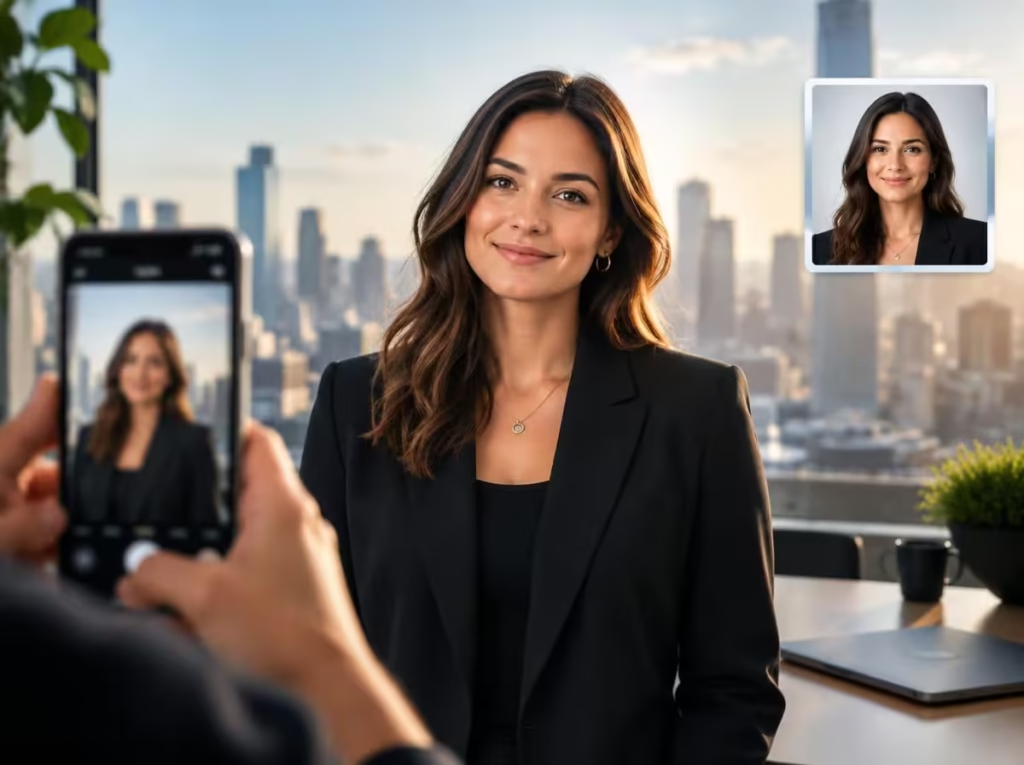
No diffusion model can perform miracles if supplied with corrupted source data. The neural network must understand the three-dimensional geometry of your facial structure, jawline angle, true skin undertones, and ocular symmetry. You need 8 to 15 simple reference photos taken with your smartphone camera following these practical capture rules:
- Diffuse Natural Daylight: Stand directly facing an open window during daytime hours, avoiding direct sunbeams that cast harsh shadows under the nose and eyes. Soft ambient daylight remains the best foundation for photographic clarity.
- Camera Positioned at Eye Level: Never angle the lens upward from below (distorting the jawline) or downward from above (foreshortening the neck). Have someone hold the device at eye level or prop the phone on a steady shelf.
- Subtle, Varied Expressions: Take a mix of gentle smiles showing teeth, closed-mouth professional smiles, and calm thoughtful expressions. Avoid exaggerated grins.
- Diverse Angular Perspectives: Capture straight-on angles alongside slight three-quarter turns (15 to 30 degrees to the left and right).
- Zero Filters or Heavy Makeup: Disable native beauty smoothing modes on your phone camera, remove sunglasses, and avoid heavy cosmetics. The purer the facial baseline, the more photorealistic the generation.
💡 Home Lighting Pro-Tip: If your workspace lacks bright natural window light, avoid snapping photos beneath standard overhead ceiling bulbs (downward light creates dark racoon shadows under the eyes). An affordable tool that solves this instantly is an articulated desk ring light with smartphone mount on Amazon. Uniform frontal diffusion gives your camera sensor clean biological data to work with.
Step 2: Selecting the Optimal Generation Platform for Your Needs
Two primary paths exist to generate your corporate headshots, depending on your budget and technical familiarity:
Option 1: Specialized Commercial Headshot Engines
If you want zero prompt complexity, dedicated executive platforms (such as Aragon AI, Secta Labs, or PortraitPal) offer turnkey generation. You upload your baseline selfies, select your industry aesthetic (corporate banking, creative agency, healthcare, or executive leadership), and receive dozens of high-resolution options within an hour.
Option 2: ChatGPT Vision and Open Diffusion Models (Flux & Midjourney)
If you subscribe to ChatGPT Plus or use Midjourney and Flux with consistent reference parameters (such as --cref), you can upload your sharpest baseline photo and steer wardrobe styling, lighting, and corporate environments at virtually zero additional cost, drawing on the same techniques explored in our guide on commercial visual prompting and lighting direction.
Step 3: The 5 Battle-Tested Prompts for ChatGPT and Vision Models
When prompting models with an uploaded photo, the crucial tactic is establishing strict negative constraints that prohibit the generator from altering facial identity or airbrushing biological skin. Upload your clear reference photo and deploy one of these tailored formulas:
1. The Gold Standard Executive LinkedIn Portrait
Engineered for primary LinkedIn avatar displays, digital speaker badges, and executive team bios:
Transform my attached reference photograph into a professional corporate headshot suitable for executive LinkedIn branding.

Flawlessly preserve my exact facial structure, bone proportions, natural skin undertones, eye shape, hairstyle, and biological likeness 100% unaltered. Apply clean, diffused studio portrait lighting with a soft keybox, realistic human skin texture featuring visible micro-pores, and a confident, approachable expression.

Maintain sharp focal clarity across the eyes and jawline with subtle background separation. The final output must look like an authentic portrait shot by an editorial photographer on a Hasselblad medium-format camera, completely free from artificial AI smoothing.
2. The 85mm DSLR Modern Office Bokeh Headshot
Ideal if you took a crisp portrait at home and need it staged within a refined corporate setting:
Transform my attached reference photo into an authentic DSLR portrait. Keep my facial identity, skin texture, and features strictly untouched.

Place me in an elegant, modern corporate office background rendered in soft optical bokeh (frosted architectural glass, understated warm timber, and neutral stone). Apply diffused three-point studio lighting, shallow depth of field mimicking an 85mm f/1.8 prime lens, and natural color grading. Zero plastic airbrushing or synthetic sheen.
3. The Senior Leadership Editorial Portrait
Tailored for venture founders, directors, and keynote speakers requiring maximum institutional presence:
Transform my uploaded portrait into a prestigious executive editorial photograph in the aesthetic of a premium business journal cover.

Preserve my authentic facial features and proportions with forensic consistency. Dress me in modern, tailored executive attire (a sharp navy blazer and crisp white collared shirt), with directional studio key lighting, balanced contact shadows, and organic skin micro-detail. Upright, confident posture with sophisticated color balance.
4. Wardrobe Swap (Keeping Face and Setting 100% Intact)
Use this surgical prompt when your smile and pose are perfect, but your casual T-shirt needs an executive upgrade:
Surgically swap only the clothing in this attached photo to [a tailored charcoal wool blazer with a crisp white collared shirt].

Preserve 100% of all other elements: keep my face, eye likeness, skin pores, hair strands, facial expression, and background completely untouched. Seamlessly blend fabric edges at the neck and collar with natural drape wrinkles. The composite must look completely photorealistic and undetectable.
5. Posture and Expression Calibration
For fine-tuning slightly tense body language without altering identity:
Apply a subtle refinement to the posture and facial expression in this attached portrait. Nudge shoulders slightly back and down in a natural, relaxed posture, maintaining an open, confident executive presence. Adjust the expression to a genuine, approachable micro-smile. Keep facial likeness, lighting direction, and bodily proportions strictly authentic.Step 4: Best Practices vs. Pitfalls in Professional LinkedIn Imagery
Before making your final selection, benchmark your top generations against this comparative standard:
| Portrait Element | What to Avoid (Common Pitfalls) | Best Practice (Executive Benchmark) |
|---|---|---|
| Skin Rendering | Overly smoothed, poreless complexion with metallic digital sheen. | Preserved micro-pores, natural expression lines, and organic highlight roll-off. |
| Background Staging | Beach vacations, social gatherings, cars, or distracting neon skylines. | Soft-focus architectural office interior, neutral textured studio wall, or library. |
| Wardrobe & Pose | Casual loungewear or stiff, ill-fitting formal wear mismatched to your industry. | Tailored business-casual blazer or crisp collared shirt aligned with your sector. |
| Eye Contact & Expression | Wandering gaze, grim expression, or forced exaggerated laughter. | Direct eye contact with the camera, approachable warmth, and relaxed confidence. |
Step 5: The Human Validation Audit Before Going Live
Once you narrow your favorites down to two or three options, do not upload your image directly to LinkedIn immediately. Our visual perception adapts to our own likeness quickly, overlooking anomalies that outsiders notice in seconds.
Run through this quick anatomical inspection:
- Ocular Catchlights: Is specular light reflection in the left pupil physically consistent with the right pupil? Are both irises uniform in coloration and diameter? As detailed in our guide on reconstructing authentic facial details with AI, ocular alignment is the hallmark of genuine realism.
- Dental Symmetry: If teeth are visible, confirm natural spacing without synthetic uniformity or warped enamel edges.
- Collar Integration: Ensure fabric lapels and shirt collars rest naturally against the neck without Photoshop-style cutout artifacts.
- The Colleague Test: Send your favorite render to two trusted peers with one simple question: “Does this authentically look like me in real life, or does it feel artificial?” If they hesitate for more than three seconds, select another generation.
- Objective Impression Feedback: If you desire empirical data on trustworthiness and perceived competence, submit the candidate photo to anonymized feedback platforms like PhotoFeeler before setting your profile public.
Frequently Asked Questions (FAQ)
Does LinkedIn penalize profiles for using AI-enhanced portraits?
No. LinkedIn user guidelines prohibit synthetic fake accounts that impersonate non-existent individuals. However, deploying computer vision tools to adjust studio lighting, refine wardrobe, or polish headshots generated from your genuine biological features is completely compliant and widely standard across enterprise markets.
How does a dedicated headshot engine differ from phone filters?
Mobile beauty filters apply a flat 2D mask that softens skin and shifts tint. Dedicated generative headshot pipelines reconstruct the entire optical scene in three dimensions: synthesizing volumetric lighting, rendering tailored textiles, and calculating authentic depth of field as if captured by medium-format studio equipment.
How many baseline photos are needed for accurate facial modeling?
For most modern multimodal architectures, between 8 and 15 clean, well-lit photos across varied expressions and subtle angles provide sufficient geometric priors for consistent likeness. Supplying fewer than 5 photos often yields generic features that drift away from your authentic likeness.
How long does the generation process take?
Turnkey commercial platforms process training batches in 20 to 60 minutes. Inside ChatGPT or Midjourney, using an uploaded baseline with the targeted prompts above produces rendered headshots in under thirty seconds.
Your Profile Portrait Is Just the Opening Handshake
Modern generative technology has democratized access to editorial-grade personal branding. You no longer need to forfeit dream career opportunities or delay client outreach simply because studio photography was financially out of reach. When paired with persuasive executive communications, a polished visual presence sets the tone for meaningful career growth.
Your LinkedIn portrait should never attempt to manufacture a fictional persona of who you hope to become decades from now. Its purpose is to present, in the most flattering light, the confident and capable professional you already are today.
How does your current LinkedIn headshot measure up? Have you experimented with AI portrait tools, or are you still relying on a cropped personal photo? Share your experiences and questions in the comments below!