Mastering prompts for AI images is the defining superpower that separates blurry, generic digital renders from breathtaking, gallery-grade visual artwork.
Have you ever browsed social media and wondered how digital creators consistently produce cinematic portraits, atmospheric landscapes, and hyper-realistic product photos from a single line of text? The magic does not lie in possessing secret software or computer programming skills—it boils down to understanding prompt architecture.
A prompt is simply a descriptive creative brief. Because visual generative neural networks interpret commands with strict literalism, vague instructions produce randomized results, whereas structured prompts unlock astonishing aesthetic consistency.
In this beginner-friendly field guide, you will master the proven 6-block prompt formula, discover copy-and-paste examples across portraiture, fantasy, and commercial photography, and learn how to iteratively refine your renders with complete confidence.
In this guide, you’ll understand the logic behind these commands, learn the ideal framework to craft your own prompts, and walk away with plenty of ready-to-use examples to try out. No technical background required—just a willingness to experiment.
How Prompts for AI Images Work: The Proven 6-Block Architecture
Instead of guessing random words, professional prompt engineers construct commands using six modular components that guide the model step-by-step:
| Structural Block | Creative Purpose | Concrete Prompt Example |
|---|---|---|
| 1. Medium / Format | Sets the artistic medium | “Commercial product photography”, “Oil painting”, “Digital 3D render” |
| 2. Subject Matter | Identifies what is in frame | “An espresso cup”, “A Siberian husky puppy”, “A vintage leather jacket” |
| 3. Lighting & Shadow | Builds atmosphere and depth | “Golden hour sunlight”, “Dramatic rim lighting”, “Moody chiaroscuro” |
| 4. Setting & Backdrop | Provides physical context | “Rustic oak kitchen table”, “Foggy alpine pine forest”, “Minimalist studio cyclorama” |
| 5. Technical Specs | Governs clarity and focus | “Macro 85mm lens, f/1.8 shallow depth of field, sharp focus, 8K resolution” |
| 6. Negative Guardrails | Specifies what to exclude | “No text, no watermarks, no warped geometry, no oversaturated colors” |
“A short prompt like ‘a cup of coffee’ leaves 95% of the visual variables to machine chance. The 6-block method restores artistic control into the hands of the creator.”
— Visual Prompt Engineering Handbook
Before-and-After: Demonstrating the 6-Block Prompt in Action
To see how dramatically technical descriptions elevate output quality, compare these two real-world inputs:
Basic Novice Input:
A cup of coffee on a wooden table.Engineered 6-Block Master Prompt:
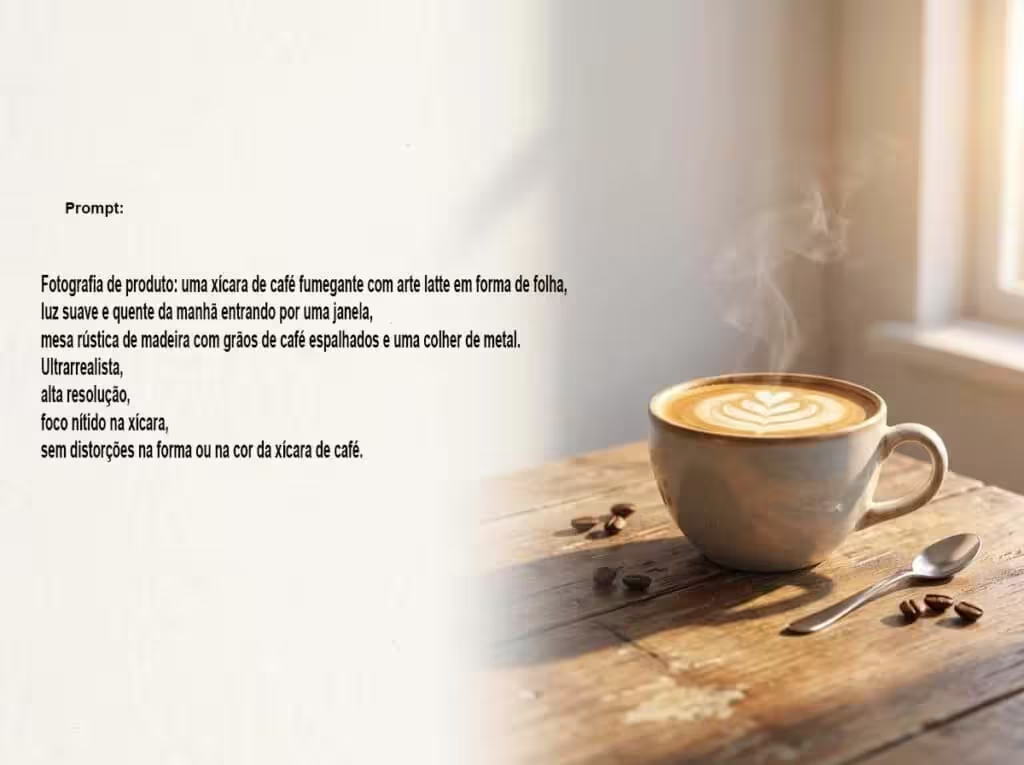
Commercial product photography, a steaming ceramic mug of dark roast coffee with delicate crema foam, warm morning sunlight streaming through a window, rustic weathered oak table, softly blurred cozy kitchen background, 85mm lens, sharp focus on the steam droplets, ultra-realistic textures, no distortions, no text.The difference in sensory richness is immediate. While the first command generates a flat clip-art illustration, the second command instructs the renderer to calculate volumetric light, depth-of-field bokeh, and micro-surface reflections.
3 Versatile Style Prompts Ready to Copy
1. Cinematic Golden-Hour Portrait:
Portrait photography, a person looking toward the horizon with a calm confident expression, soft golden hour rim lighting, warm sunset bokeh in the background, authentic natural skin texture, 50mm portrait lens, ultra-photorealistic, high dynamic range, no artificial skin smoothing or facial warping.2. Whimsical Watercolor Illustration:
Fine art watercolor illustration, a solitary sailboat drifting across a calm ocean at dusk, soft pastel orange and lavender sky reflected on water ripples, visible paper texture and wet-on-wet paint pooling, dreamy storybook atmosphere, no text or typography.3. Cyberpunk Futuristic Cityscape:
Digital concept art, towering neon-lit skyscraper metropolis at night, rain-slicked asphalt streets reflecting cyan and magenta light trails, flying aerial transit vehicles in distance, wide-angle cinematic perspective, hyper-detailed volumetric fog, highly immersive sci-fi atmosphere.
How to Troubleshoot and Refine Flawed Generations
When an image render misses the mark, avoid discarding your prompt completely. Refine it methodically:
- Isolate the Weakest Block: Determine whether the issue stems from lighting, subject anatomy, background clutter, or color palette.
- Intensify Lighting Vocabulary: If an image looks dull, upgrade generic terms like “daylight” to specific keywords such as “volumetric god rays”, “dramatic low-key lighting”, or “warm studio softbox”.
- Use Conversational In-Painting: In multimodal chat platforms like OpenAI DALL-E 3 or Google DeepMind Gemini, ask for targeted revisions: “Maintain the exact character and composition, but change the stormy sky into a clear starry night.”
To dive deeper into related technologies and sharpen your digital skills, explore our detailed guides on multimodal AI explained and what is machine learning.
Frequently Asked Questions (FAQ)
Are prompts for AI images required to be written in English?
While modern tools accept multi-lingual queries, English remains the dominant language of foundational computer vision datasets. Writing prompts in English delivers markedly sharper adherence to subtle stylistic terms, camera lenses, and lighting cues.
Is a longer prompt always better than a short one?
No. Quality prompt construction values precision over word count. Paragraphs stuffed with redundant adjectives dilute the model’s attention weights, causing it to ignore core instructions.
Can the same prompt be reused across Midjourney, ChatGPT, and Gemini?
Yes. The fundamental 6-block logic is universal across all latent diffusion architectures, though individual platforms may offer specialized parameters like aspect ratio flags (--ar 16:9) or stylize dials.
What style of image are you most excited to generate today—hyper-realistic photography, watercolor art, or 3D character design? Tell us about your creative experiments in the comments below!